

Deutsch / English
You will probably want to request an invoice for your WordCamp Vienna ticket purchase, particularly if you are a company or a self-employed person who needs to claim the expense.
Please note that invoices for tickets to any WordCamp are tax-exempt and, therefore, the invoice will NOT include VAT that you can claim back.
Just tick the box
To have the system generate your invoice automatically, simply tick a box when you’re making your purchase.
This box is located at the bottom of the second page of the form, just before you choose your payment method, as shown in this example image.
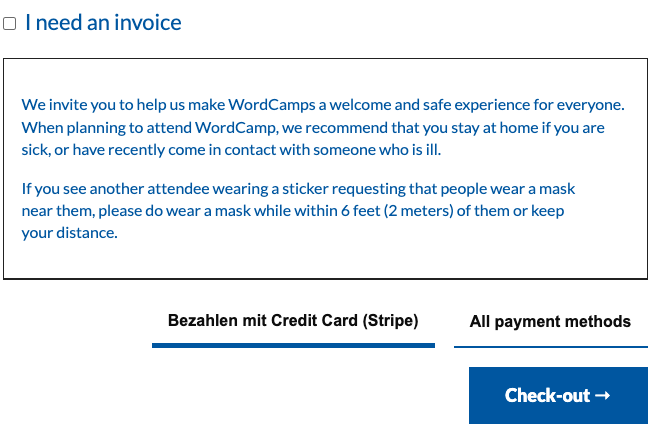
When you tick the box, the fields will be enabled so that you can enter your name, registered address, email address and tax identification number.
IMPORTANT: The invoice will be sent to the email address you provide as the company’s official email address, so please ensure you have access to that inbox.
What if you forgot?
If you forgot to tick the box and generate your automatic invoice, and you need one, you can contact us so that we can generate it manually, provided you give us the email address you used to make the purchase and your full tax details.
However, please note that we cannot guarantee an immediate response and that the invoice will be dated the day we generate it, not the day you actually made the purchase.